
AI Automation Sales & Marketing: A Practical B2B Guide for Sales and Marketing Teams

AI automation sales & marketing uses AI tools to handle repetitive prospecting, outreach, and lead qualification tasks, helping B2B teams reduce manual work and focus on high-value buyer conversations. It does not replace sales or marketing teams; instead, it removes the administrative and research load that slows down follow-up and limits the number of accounts a team can properly serve.
For B2B teams evaluating their first automation tool, the biggest risk is not slow adoption. It is expecting AI to do work that still needs human judgment, such as negotiating pricing, customizing enterprise proposals, or resolving complex buyer objections. The most useful deployments start narrow, automate only documented tasks, and keep clear approval checkpoints.
What AI Automation Can (and Cannot) Do in B2B Sales & Marketing
A realistic view of AI-powered marketing and sales workflows prevents overpromising inside the organization and avoids stalled projects. Teams that get the clearest results usually automate the bottom of the workflow first: list building, research summaries, first-draft messaging, scheduling, and basic lead grading.
AI can support several repeatable sales and marketing tasks when the inputs are clear and the process is documented:
Building prospect lists based on territory, industry, or buyer profile
Summarizing public company background information for research
Grading or scoring accounts against agreed criteria
Drafting initial outreach messages for human review
Scheduling approved email sequences and tracking basic results
Updating CRM records with new contact or account data
AI cannot reliably make judgment calls that depend on relationship context, pricing authority, legal terms, or a buyer’s unstated priorities. Those decisions should stay with sales managers, account executives, and marketing leaders.
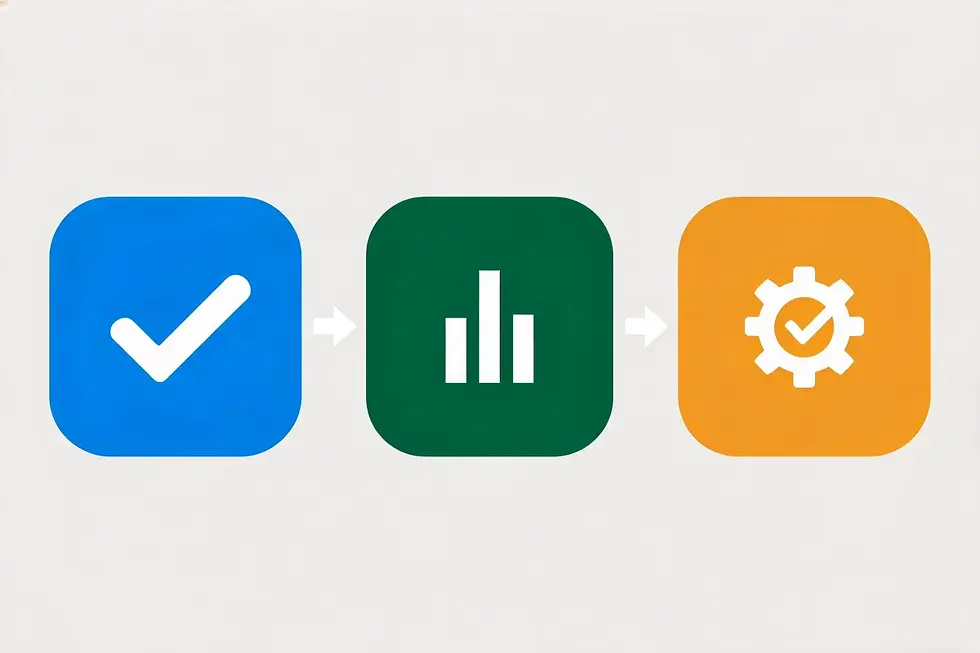
Illustrative flow: three practical checks when evaluating AI automation for sales and marketing.
5 Practical Steps to Evaluate AI Automation for Your Team
Before comparing vendors, define what you actually want to automate and what success looks like. Teams that skip this step often buy a feature-heavy platform and then use only a small fraction of it.
Pick one narrow workflow first. Choose a repeatable process such as outbound prospecting, lead routing, or event follow-up. Avoid trying to automate the entire pipeline at once.
Map the current manual steps. Write down every task, who owns it, how long it takes, and where errors or delays happen. This becomes your baseline for measuring improvement.
Match tasks to AI capability. Only automate steps that are rules-based, data-heavy, or repetitive. Keep creative and high-stakes steps with humans.
Define approval boundaries. Decide which outputs need human review before they leave your system, such as first emails to new contacts, pricing language, or CRM updates that affect forecasting.
Set a short test period. Run a limited pilot with a small group, measure time saved and response quality, and decide whether to expand.
The goal of evaluation is not to find the “most advanced” tool. It is to find the tool that fits your documented process and your team’s willingness to use it.
B2B Sales Scenario: How AI Automation Supports Outreach Workflows
To make this concrete, consider a common B2B use case: AI prospecting automation for sales teams building a list of accounts in a new territory.
In a manual workflow, an SDR might spend hours searching for companies, visiting websites, writing research notes, entering data into the CRM, and drafting individual emails. With automation support, the team can define the target buyer profile, industry, and geography, then let the tool surface matching accounts and prepare background summaries. The SDR still reviews each account, approves the message, and handles replies, but the setup work is much faster.
A typical AI-supported outreach sequence follows this pattern:
Step | Manual team workflow | AI-supported workflow | Human role |
|---|---|---|---|
--- | --- | --- | --- |
Prospect list building | SDR searches and compiles accounts manually | AI generates initial list based on criteria | SDR reviews and adds or removes accounts |
Account research | SDR reads company sites and notes key facts | AI summarizes background information | SDR validates facts and customizes context |
Outreach drafting | SDR writes each email from scratch | AI produces first-draft messaging | SDR edits, approves, or rewrites the message |
Send and follow-up | SDR schedules sends manually | AI schedules approved sequences | SDR monitors replies and handles conversations |
CRM update | SDR enters notes and statuses manually | AI pushes approved contact and activity data | Sales ops reviews data quality regularly |

Illustrative comparison: manual outreach steps versus AI-supported outreach steps in a typical B2B sequence.
This is the core value of B2B AI sales automation: it compresses the prep work so that sellers can spend more time on actual conversations with buyers who are ready to engage.
Key Capabilities to Look for in a B2B AI Sales Tool
Not all AI sales outreach automation tools are built the same way. Some focus on inbound marketing leads, some on field sales territories, and some on outbound SDR teams. Match the tool to the team that will use it every day.
For sales development teams focused on outbound prospecting, look for configurable digital sales rep settings, prospect pool management, account assignment, research summaries, customer grading, and CRM linking. You should also be able to manage targeted email tasks, review scheduled sends, and check results and follow-up activity through rep-level reports.
For field sales teams covering a defined geography, look for territory-based discovery that lets you set the target buyer, product category, country, city or region, postal code, search radius, and scan depth. Map and list views, plus the ability to distinguish new accounts from records already in the CRM, are especially useful for territory planning.
When comparing tools, prioritize features that directly reduce time spent on your chosen workflow. A long feature list is not useful if most of those features do not match the tasks your team actually performs.
Setting Clear Human Oversight Boundaries for AI Automation
AI automation works best when boundaries are explicit. Teams that get into trouble usually allow AI to act beyond its reliable range, such as sending unapproved messages to buyers or making changes to CRM data without review.
A simple oversight model separates tasks into three zones:
AI-only tasks: Data entry of verified fields, list sorting, scheduling already-approved messages, basic formatting. These are low-risk and fully documented.
AI draft + human approval: Initial outreach emails, account research summaries, lead scoring recommendations, CRM update suggestions. A human reviews before the action is final.
Human-only tasks: Pricing offers, contract discussions, complaint resolution, strategic account decisions, and any message that touches sensitive company or buyer information.

Illustrative boundary: where AI automation hands off to human review in B2B sales workflows.
You do not need a complex governance structure to start. You only need a short written policy, one owner for each workflow, and a clear escalation path for anything the AI cannot handle confidently.
Next Steps to Start With AI Automation in Sales
The fastest way to begin is to pick one workflow, one team, and a four-week test window. Start with the task that takes the most repetitive time, such as prospect list building or first-draft outreach, and measure time saved, data accuracy, and seller satisfaction before you expand to other parts of the pipeline.
For B2B sales development teams exploring structured outbound automation, make sure any tool you test supports configurable digital sales rep settings, prospect pool management, and clear reporting so you can review results without adding administrative work. If you want to see how a purpose-built solution fits your outbound process, explore YTTAI Sales Master for your B2B sales workflow.
FAQ
What does ai automation sales & marketing actually do for B2B teams?
AI automation for sales and marketing handles repetitive tasks such as prospect list building, initial outreach sequencing, lead scoring, and basic research summaries. It does not replace human judgment on pricing, contract terms, or high-stakes buyer conversations.
Is B2B AI sales automation only for large sales organizations?
No. Small and mid-sized B2B teams can also use AI automation for prospecting and outreach, as long as they set clear human approval boundaries and choose tools that match their workflow rather than overbuying features they will not use.
How do you keep AI-powered marketing and sales workflows accurate?
Keep workflows accurate by defining approval points before messages are sent, limiting AI to first-draft research and initial outreach, syncing approved data with your CRM, and reviewing rep-level reports on a regular cadence.
Comments