

B2B Sales Intelligence Platforms: A Practical Comparison Guide for B2B Teams

B2B sales intelligence platforms are tools that help sales teams identify, research, and prioritize prospective buyers by providing company data, contact information, and scoring, and they should be evaluated based on your core use case, data coverage needs, and key buying criteria. For teams evaluating options, the goal is not simply to buy the most popular tool, but to match the platform to how your team actually sells, whether that means outbound prospecting, field territory development, or account-based expansion. This guide breaks down what these tools do, how to compare them, and how to choose one that fits your workflow.
What B2B Sales Intelligence Platforms Do
At their core, B2B sales intelligence platforms aggregate company and contact data and make it searchable, filterable, and actionable for sales teams. Instead of piecing together information from multiple websites, social profiles, and business directories, teams can search by industry, company size, location, job title, and other firmographics to build targeted lists.
Most platforms also include some form of scoring or grading. This helps sales teams focus on accounts that best match their ideal customer profile, rather than spending equal time on every lead that appears in a search result. In practice, that means faster list building, shorter research cycles, and more consistent outreach.
It is important to distinguish between data tools and full workflow platforms. Some tools focus mainly on contact data and list building. Others add enrichment, sequencing, CRM sync, or territory scanning features. The right choice depends on what your team already has in place and where your biggest bottlenecks are.

Most B2B sales intelligence platforms support three core use cases: discovery, research, and prioritization (illustrative diagram).
Common Use Cases for Sales Intelligence Tools
The best B2B sales intelligence tools tend to shine in specific scenarios. Before comparing features, define which use case matters most to your team, because that will determine which criteria should carry the most weight.
Outbound prospecting and list building
Sales development teams typically need fast access to accurate contact data and the ability to build targeted lists quickly. For this use case, contact coverage, job-title filtering, and export or CRM sync capabilities are especially important.
Account research and prioritization
Account executives and account managers often use these tools to deepen their understanding of target accounts, track trigger events, and prioritize outreach timing. For this use case, company profiles, firmographic depth, and account-level scoring are more valuable than raw contact volume.
Field sales territory development
Field sales representatives and territory managers need to discover accounts within a geographic area, plan routes, and separate new prospects from accounts already in the CRM. For this use case, map-based search, geographic filtering, and territory alignment matter most.
Data enrichment and CRM health
Some teams use B2B lead intelligence software primarily to keep CRM records complete and up to date. For enrichment use cases, look at data freshness, match rates, and the ability to append missing fields to existing records.
Key Data Types to Evaluate
A sales intelligence platform comparison is only useful if you compare the same categories of data across every tool. Below are the main data types most teams rely on, along with why each one matters.
Firmographic data
Firmographics include company size, industry, revenue range, location, founding year, and number of employees. This type of data is the foundation of most account targeting and is typically the most consistent across platforms.
Contact data
Contact data covers names, job titles, job functions, seniority levels, and work contact information. Accuracy and freshness vary widely between providers, so this is one of the highest-stakes categories for teams that do cold outreach.
Intent and buying signals
Intent data indicates which companies are showing interest in products or services like yours, based on online behavior. This can help teams prioritize timing, but it should be treated as a signal rather than a guarantee of purchase intent.
Technographic data
Technographics describe which software or technology stack a company uses. This is useful if your product integrates with, replaces, or complements specific tools, or if you use technology as a fit indicator.
Geographic and territory data
Geographic data includes office locations, headquarters, branch locations, and service areas. For inside sales teams, this may be a secondary filter. For field teams, it can be the primary way they discover accounts.

A sales intelligence platform comparison is clearest when you evaluate the same criteria for every tool (illustrative layout).
Criteria for Comparing Platforms
Not all platforms are built the same way, and a tool that works for one team may slow another down. Use the criteria below to build a shortlist that fits your process.
Evaluation Criterion | Why It Matters | Best For |
|---|---|---|
--- | --- | --- |
Data coverage and freshness | Determines how many relevant accounts you can find and how reliable contact details are | Outbound SDR teams |
Search and filtering depth | Determines how precisely you can segment accounts by industry, size, role, or location | Niche target markets |
Scoring and grading | Helps teams prioritize accounts and focus on the best-fit opportunities | Pipeline-focused teams |
CRM and workflow integrations | Reduces manual data entry and keeps records aligned | Operations-heavy teams |
Geographic and map-based search | Supports territory planning and in-person prospecting | Field sales teams |
Usability and onboarding | Affects how quickly the team adopts the tool in daily work | Small or fast-moving teams |
Data quality is usually the biggest differentiator. A platform with fewer overall records but higher accuracy in your target market is often more useful than a larger database with frequent outdated entries. Whenever possible, test a sample of contacts relevant to your own ideal customer profile rather than relying on broad marketing claims.
It is also worth considering how the tool fits into your existing sales stack. If your team already lives in a CRM, then native sync and one-click export can save hours per week. If your process is lighter, a simpler standalone tool may be enough.
How to Match a Platform to Your Team
Sales intelligence for B2B teams delivers the most value when it aligns with how your team operates day to day. A tool built for enterprise account-based teams may be overkill for a small startup SDR team, just as a basic list-building tool may not support complex territory planning.
Start by identifying your team type and primary goal. If you run a high-velocity outbound motion, prioritize contact accuracy, list-building speed, and sequence or CRM integration. If you manage field territories, prioritize geographic search, map-based discovery, and the ability to separate new accounts from existing CRM records.
Next, consider your data maturity. If your CRM is clean and well maintained, you may mainly need enrichment and new prospect discovery. If your data is fragmented, you may need a platform that can fill gaps and standardize records at scale.
Finally, evaluate the human side of adoption. The best B2B sales intelligence tools are only as good as the usage they get. If the interface is hard to use or if reps do not trust the data, adoption will be low and the investment will not pay off.
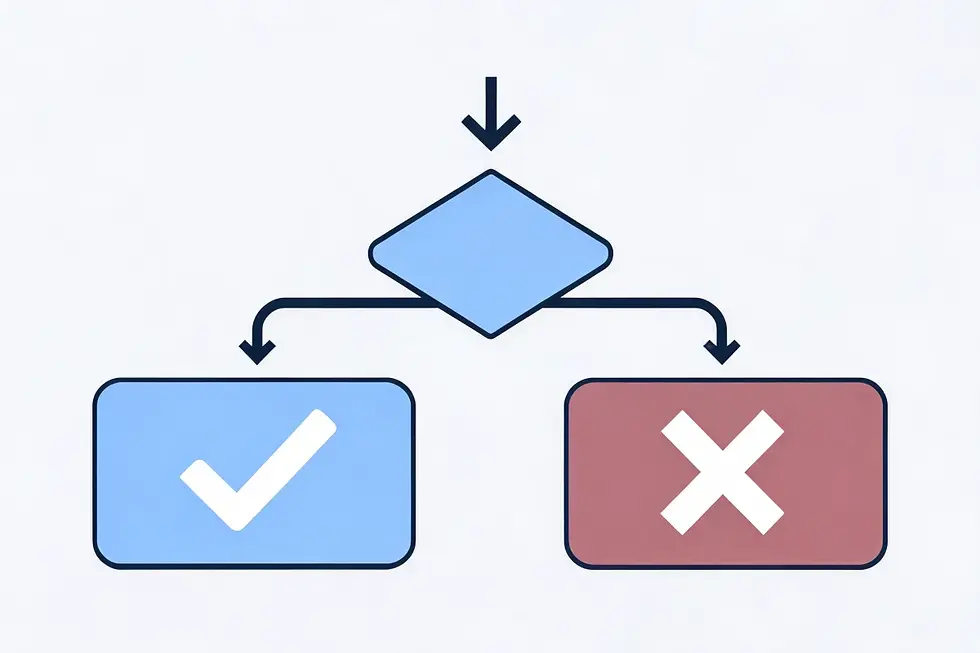
Matching B2B lead intelligence software to your team follows a clear decision path (illustrative diagram).
Getting Started With Sales Intelligence
Getting value from a new platform does not require a full team rollout on day one. A more practical approach is to start with one use case, one team segment, and a clear success metric, then expand from there.
First, pick the highest-priority use case, such as building targeted prospect lists for a new campaign or discovering accounts in a new field territory. Then define what success looks like in measurable terms, for example reduced research time per rep, higher response rates on outreach, or more qualified accounts added to the pipeline each week.
Second, align the data with your ideal customer profile. Use filters and scoring rules to reflect what a good account looks like for your business, rather than relying on default settings. This step directly affects how useful the tool feels to reps on the front line.
Third, connect the tool to your existing workflow where it makes sense. That might mean exporting lists to a CRM, assigning accounts to reps, or setting up a regular review cadence for newly discovered prospects. The goal is to make intelligence part of the existing routine, not an extra task on top of it.
YTT AI offers a Sales Intelligence Specialist line designed to help B2B sales teams identify prospective buyers by market and purchasing criteria, review company profiles and scores, and build lead pools for follow-up. If you want to see how sales intelligence can fit into your outbound or territory development process, explore YTTAI Sales Master for your B2B sales workflow.
FAQ
What are B2B sales intelligence platforms?
B2B sales intelligence platforms are tools that help sales teams identify, research, score, and prioritize prospective buyers by providing company data, contact information, firmographics, and buying signals.
How do you do a sales intelligence platform comparison?
Start with your core use case, then compare platforms on data coverage, data freshness, contact accuracy, integration options, usability, and pricing model relative to your team size and workflow.
Who uses B2B lead intelligence software?
B2B lead intelligence software is used by sales development representatives, account executives, field sales teams, territory managers, and revenue operations teams that need to find and prioritize qualified accounts.
Can sales intelligence for B2B teams replace manual prospect research?
Sales intelligence for B2B teams reduces manual research time and improves consistency, but human review is still needed to confirm current buyer demand, fit, and contact relevance before outreach.
Comments