
How to Verify a New Warehouse Prospect Signal: Steps, Templates and Checklist

To verify a new warehouse prospect signal, trace the facility announcement to its original source, confirm the project stage and operator, cross-check location details with public records, and validate contact authority before adding the account to outreach sequences. This guide delivers a repeatable B2B warehouse prospect validation workflow, a copyable follow-up email template, escalation rules and a final checklist you can apply to every signal.
Verification Overview and Quick Action Table
The warehouse lead signal confirmation process starts from an incoming tip, press release, job posting or construction sighting, and ends with a graded lead ready for sales outreach. Use the table below as a fast reference; detailed steps follow.
Step | Input | Action | Owner | Output | Completion Standard |
|---|---|---|---|---|---|
------ | ------- | -------- | ------- | -------- | --------------------- |
1 | Initial warehouse lead signal | Trace to the original announcement and archive the source | Sales intelligence analyst | Cited source link, publication date, issuing organization | Source is the original issuer, not a repost or summary |
2 | Confirmed announcement | Identify operator, project stage and decision role | Sales development rep | Company profile, project phase, likely buyer function | Operator name and stage match at least two independent references |
3 | Operator and project data | Cross-check address, size and facility scope | Sales intelligence analyst | Verified location map, facility scope notes | Address and parcel details match public records |
4 | Verified account profile | Validate contact data and outreach readiness | Sales development rep | Approved lead record, outreach entry criteria met | Contact authority and scope are confirmed or explicitly flagged as assumed |
New warehouse opening verification steps do not require every detail to be 100% confirmed before action, but any missing item must be flagged, graded by impact and handled under the escalation rules later in this guide.
Step 1: Trace the Warehouse Announcement to Its Original Source
A warehouse facility announcement source check prevents outreach based on rumors, reposts or outdated news. Start with whatever triggered the signal—a news aggregator alert, social post, job board listing, permit notice or industry blog—and work backward to the primary issuer.
Input: the headline, URL, screenshot or verbal note that started the signal.
Action: open the source page and locate the original issuer logo, press release label, government department name, official company domain or public filing number. If the page is a third-party summary, follow any embedded source link, citation or company name to the issuer’s own website or public record portal. Save the direct URL, publication date and the exact phrase that confirms a new warehouse operation. If you cannot reach the original source, record the best available reference and mark the signal as unconfirmed.
Owner: sales intelligence analyst or researcher.
Output: a source record with original URL, publish date, issuing organization and a one-sentence fact extracted from the source.
Completion standard: the source is the first publisher of the information, not a reblog, summary or social repost. For government filings or permits, the record comes from the official issuing agency page.
Common gaps include unnamed sources, secondhand industry blogs and reposted press releases with modified headlines. These are not disqualifying on their own, but they drop the confidence grade and require additional corroboration before the lead enters active sequences.

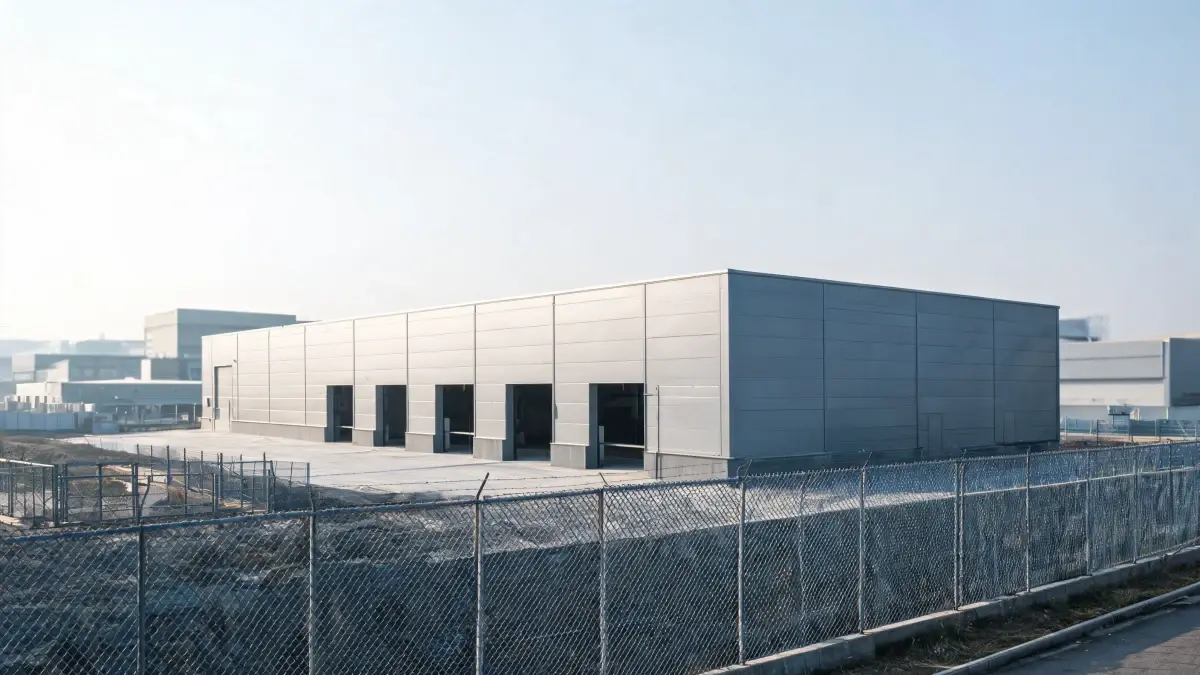
Illustrative sequence of source check, location match and lead confirmation for a new warehouse prospect signal.
Step 2: Confirm the Operator, Project Stage and Decision Role
Once the source is solid, identify who is behind the facility and how far along the project is. This step determines whether the account fits your ideal customer profile and which team or function you should approach.
Input: the confirmed announcement and extracted fact.
Action: look up the operating company name on business registry pages, corporate websites and industry directories where available. Separate the owner, developer, operator and third-party logistics provider if multiple parties are named. Map the project stage to one of four buckets: planned, under construction, recently opened, or fully operational. Then identify the function most likely to buy your offering—for example, operations leadership for material handling equipment, facilities teams for building services, or IT leadership for warehouse software.
Owner: sales development representative supported by sales intelligence.
Output: a short account brief with operator name, parent company if applicable, project stage and target buyer function.
Completion standard: the operator name and project stage are supported by at least two independent references, or the single source is an official company or government record clearly dated within the last 12 months.
If the announcement mentions only a developer and not the end operator, the lead is still valid but the buyer role is unknown. Flag it clearly and do not invent a target contact; instead, move to the escalation rules before drafting outreach.
Step 3: Cross-Check Location and Facility Scope
A new warehouse opening can look large in a press release but represent a small satellite site, a shared facility or a relocation rather than a greenfield build. Cross-checking location and scope prevents wasted outreach to sites that do not match your addressable criteria.
Input: the address or city mentioned in the announcement, plus any stated square footage, number of docks, employee count or service area.
Action: locate the property on mapping and public record tools. Compare the listed address with the parcel shape, building footprint and nearby roads. If the announcement gives a size or capacity, note whether public records support a facility of that scale in that location. Flag any mismatch between the announced use case and the zoning or existing building on record. If multiple sites share a similar name, confirm the exact city and street before saving the record.
Owner: sales intelligence analyst.
Output: a verified location record with address, map reference and any scope discrepancies noted.
Completion standard: the address is precise enough for territory assignment and on-site visits, and any stated facility size is either confirmed or explicitly listed as unconfirmed.
Discrepancies are common. A “new regional hub” headline may refer to a leased floor inside an existing building, or a “fulfillment center” may be a last-mile station rather than a full distribution warehouse. Capture the difference rather than correcting it silently; the sales team needs the nuance.
Step 4: Validate Contact Data and Outreach Readiness
The final step of B2B warehouse prospect validation is confirming that you have a legitimate way to reach the right person. This step does not guarantee a response, but it ensures you are not contacting someone with no authority, no relevant role or no current connection to the facility.
Input: verified account profile and target buyer function.
Action: review available contact records against job title, department, tenure and geographic location. Prefer contacts whose LinkedIn profile or company directory listing explicitly references the new site, the region or the relevant function. If the only available contact is at corporate headquarters and the new site is local, note the relationship and flag that site-level authority is unconfirmed. Before adding the lead to a sequence, confirm the account is not already in an active campaign, a do-not-contact list or a current customer pipeline stage.
Owner: sales development representative.
Output: a graded lead record with contact data, confidence level and recommended next action.
Completion standard: the primary contact has a relevant title and company affiliation, and the account has cleared duplicate and suppression checks.
Copyable Follow-Up Email Template for Signal Confirmation
Use this email when you have a credible but partially confirmed signal and want to validate the project with a known company contact before launching a full outreach sequence. Replace variables in brackets with verified data only; if a variable is unknown, remove that sentence rather than guessing.
Subject: Question about the City/Region warehouse project mentioned in Source Name
Body:
Hi First Name,
I noticed Company Name was referenced in Source Name on Date in connection with a new warehouse operation in City/Region. I’m reaching out because our team tracks facility expansions in the industry, e.g., logistics, retail, manufacturing space and we often share relevant updates with operations and supply chain leaders.
Before I send anything further, I wanted to confirm two quick points:
Is Company Name the operator of the new City/Region site, or is this a project with a different partner or 3PL?
Are you the right person to speak with about topic relevant to your offering, e.g., warehouse equipment, facilities services, supply chain technology for that location, or should I connect with someone else on the team?
I realize announcements sometimes cover planned stages that can change, so a short yes/no or a name to follow up with is plenty.
Best, Your Name Your Title Company
This template is for fact-finding only. Do not use it to present pricing, deliver proposals or imply a confirmed project scope. Its only purpose is to raise or lower the signal’s confidence grade.
Hypothetical End-to-End Verification Walkthrough
The following example is explicitly hypothetical and for illustration only. It is not a real customer, a verified result or a representation of any specific company.
Imagine a sales intelligence alert appears with the headline “Logistics operator opens new distribution center in Metro Area X.” The SDR on duty runs the warehouse lead signal confirmation process end to end.
Source trace. The alert comes from an industry news site. The analyst follows the citation to the operator’s own press room and finds the original release dated 12 days earlier. The source is saved and the fact extracted is: company Y plans to operate a 200,000-square-foot distribution center in Metro Area X, with hiring underway for warehouse and operations roles.
Operator and stage. The company profile confirms the operator is a privately held logistics provider. Cross-checks with a business registry show no name change or acquisition in progress. The project stage is coded as recently opened because the release uses the phrase “now hiring for Q4 launch.” The target function is set to operations leadership and facilities management.
Location and scope. The announced address maps to a building in an industrial park. Public parcel records show a warehouse of roughly the stated size. The street name and zip code match the announcement. No discrepancy is flagged.
Contact validation. Two contacts appear in the company record: a regional operations director and a corporate facilities manager. The regional director’s profile mentions multiple site launches in the same state. The corporate manager’s profile covers the full portfolio but is not site-specific. The SDR selects the regional director as primary, flags the corporate contact as backup, and clears the account against active sequences and suppression lists.
The lead enters the outreach pool with a high confidence grade. If any one of the four steps had failed, the grade would drop and the case would move to escalation.
Escalation Rules for Unconfirmed or High-Risk Signals
Not every signal can be fully verified, and uncertainty should not be hidden behind a confident label. Grade missing information by its impact on outreach accuracy, and apply the appropriate action.
Material impact: if the operator identity, facility existence or project stage is unconfirmed, pause active outreach and escalate to a research lead for additional checks. Do not fill the gap with assumptions from similar announcements or industry averages.
Load or scope impact: if square footage, headcount or equipment plans are unclear, proceed only with messaging that does not depend on those details. Do not invent facility size, automation level or timing.
Application environment impact: if the site’s industry, regulatory environment or use case is uncertain, limit outreach to general education and validation questions until the picture clears.
Regulatory or legal impact: if the signal involves restricted sectors, cross-border operations or unconfirmed licensing, pause any value proposition that assumes compliance eligibility and escalate internally.
A budget estimate or rough pricing conversation is never a substitute for confirming specifications. If a prospect asks for budget guidance during verification, provide only authorized ranges tied to explicit assumptions and scope boundaries, and state clearly that the figure is not a formal quote.
Final Verification Checklist
Use this checklist before adding any new warehouse signal to an outreach sequence. If any item is unchecked, either verify it first or flag it clearly in the lead record.
Original announcement source identified and saved with date and URL
Operator name confirmed from at least one official or independent source
Project stage coded as planned, under construction, recently opened or fully operational
Target buyer function identified based on your offering and the project stage
Physical address cross-checked against mapping or public parcel records
Facility scope notes captured, with unconfirmed items marked
Primary contact has relevant title and confirmed company affiliation
Account cleared against duplicates, active campaigns and do-not-contact lists
Confidence grade assigned: high, medium or low
Any medium or low-grade items routed through escalation review
Relevant Sales Intelligence Support
Teams that process many warehouse signals each month often use sales intelligence tooling to surface new openings, score accounts and move verified leads into outreach sequences. YTT AI’s Sales Intelligence Specialist helps sales teams identify prospective buyers by market and purchasing criteria, review company profiles, scores, grades, recommendation reasons and available contacts, then select companies for the lead pool or exclude them. Rankings should be treated as research inputs; always confirm current demand directly with the buyer. For more on the offering, visit Sales Master product information.
If you regularly evaluate new facility signals, adapt the steps and template above to your own ideal customer profile and territory rules. The goal of the warehouse lead signal confirmation process is not perfect information on day one—it is enough verified detail to reach out accurately, escalate what you cannot confirm, and avoid wasting time on accounts that do not match your market.
FAQ
When should I pause outreach to a new warehouse prospect signal?
Pause outreach when you cannot confirm the original announcement source, the operating company, the facility location, or the authority of the contact person. Resume only after the gap is verified internally or escalated to a research lead.
Comments