
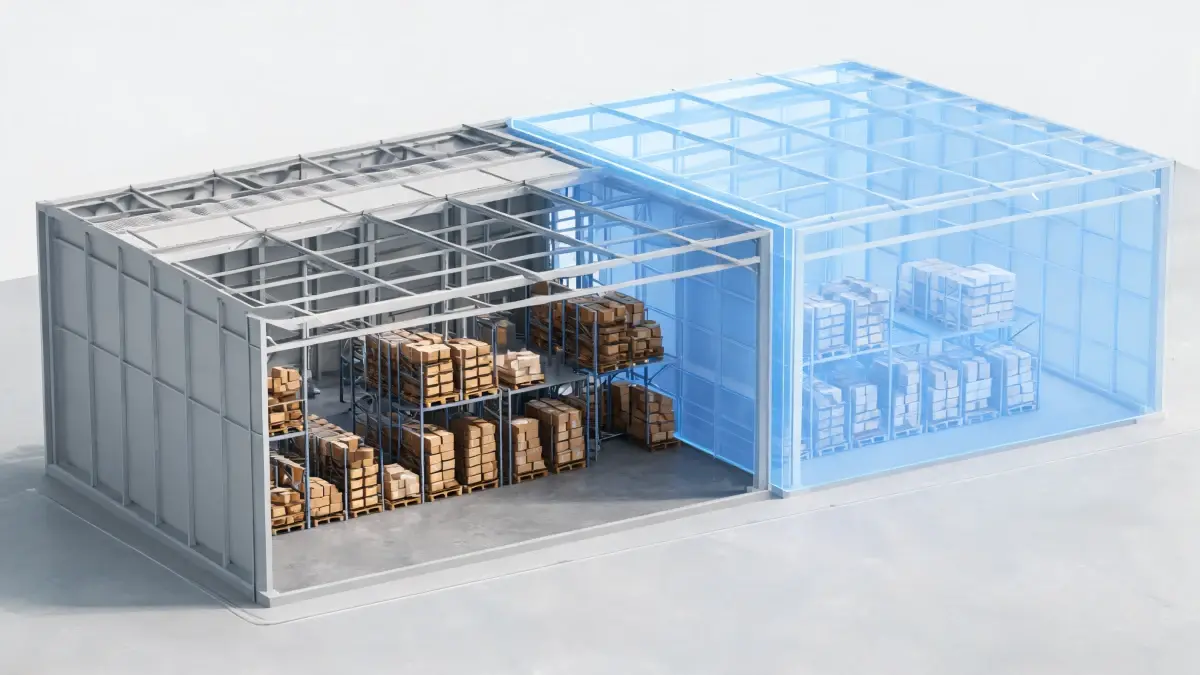
Pilot Test for Warehouse Expansion Intelligence: Acceptance Checklist and Validation Framework

A pilot test for warehouse expansion intelligence validates whether a data provider can accurately distinguish planned warehouse sites from already operating warehouses using structured acceptance criteria across four input scenarios. The goal is not to measure overall accuracy in broad market terms, but to verify that the provider behaves consistently and transparently on the cases that matter most to your expansion pipeline and B2B sales data pilot validation process. This guide delivers a copyable acceptance table, execution workflow, and decision rules so you can run a focused pilot without overstating conclusions.
Warehouse Expansion Intelligence Pilot Acceptance Checklist
The core deliverable for warehouse expansion data provider acceptance is a scenario-based test table covering the four highest-risk input types: normal structured input, missing key fields, conflicting inputs, and overstated or unauthorized commitments. For each row, define the test input, what the provider must deliver, what it must not do, where evidence lives, who owns the decision, and the final status columns you will fill in during the pilot.
Use the table below as a working template. All sample inputs are intentionally hypothetical and for pilot design only; replace them with records relevant to your target markets before running the test.
Scenario | Hypothetical input snippet | Expected output | Forbidden output | Evidence location | Owner role | Actual result (to fill) | Pass / Revise / Stop |
|---|---|---|---|---|---|---|---|
--- | --- | --- | --- | --- | --- | --- | --- |
Normal input | Planned warehouse: metro area, industry vertical, project stage = under construction, approximate opening quarter, operator name, logistics park address | Classify as planned warehouse; return structured fields for stage, location, and operator; include source type label | Do not mark as operating; do not invent exact opening date or square footage if not in source | Provider source list + your internal project database | Sales intelligence lead |
|
|
Missing key fields | Warehouse record with city and tenant name only; no construction status, no opening timeline, no facility size | Flag as incomplete; mark classification as provisional; list missing fields required for confirmed status | Do not guess status or promote record to confirmed planned/operating bucket | Pilot input log + provider output record | Data operations analyst |
|
|
Input conflict | One source says warehouse is "opening next year" and another source at same address says "fully operational since last year"; company name matches | List both statuses side by side; describe conflict clearly; request human confirmation; keep record in pending state | Do not silently pick one value or average the dates; do not hide the older source | Provider source detail page + your third-party verification | Warehouse expansion manager |
|
|
Overreaching commitment | Sales conversation claiming "100% accurate planned warehouse pipeline" and "guaranteed decision-maker contacts for every site" | Provider pilot team clarifies limitations; restates actual coverage; removes guarantee language from acceptance scope | Do not embed accuracy guarantees or contact guarantees in pilot acceptance metrics | Pilot agreement + sales call notes | Procurement / vendor manager |
|
|
The pass standard for each row is that expected output is fully present and forbidden output is absent. A revise status means the provider can fix handling and resubmit the same test case. A stop status means the issue touches core classification logic, contractual claims, or data integrity and requires a formal decision before the pilot continues.
Scope and Assumptions of the Pilot Test
A planned vs operating warehouse classification test works best when you define the scope narrowly before testing begins. The pilot should focus on the specific markets, industry segments, and warehouse types that matter to your expansion use case, not on a universal benchmark across all geographies.
Clarify these boundaries upfront:
Which countries, regions, or metro areas are in scope for the pilot
What counts as a planned warehouse (for example, announced projects, permitted sites, under construction)
What counts as an operating warehouse (active fulfillment, active storage, actively leased and in use)
Which fields are mandatory for a record to enter your pipeline
Who on your team can approve exceptions or resolve conflicts
Also state what the pilot will not prove. A short pilot with a limited sample set does not validate overall market accuracy, long-term data freshness, or statistical reliability at scale. It validates whether the provider’s classification behavior, source handling, and issue-escalation process meet your sales intelligence pilot acceptance criteria for a defined first-use scenario.
How to Prepare Test Input Samples
Prepare a mix of test records so every scenario in the acceptance table is covered at least once. For the normal input category, select a few records you can independently verify through your own network or public project tracking sources. For the missing-fields scenario, intentionally remove one or two critical fields from otherwise known records and observe whether the provider flags the gap or fills it with assumptions.
For conflict scenarios, create pairs of sources that point in opposite directions, or supply the provider with one address that appears in both a planned-project feed and an operating-facility directory. The key question is not whether the provider guesses correctly, but whether it surfaces the conflict clearly and asks for guidance instead of silently choosing a value.

Illustrative comparison of a complete warehouse record and a record with missing fields, used to test provider handling of incomplete inputs.
For unauthorized-commitment scenarios, document any bold claims made during the sales process and test whether the pilot delivery team honors them, corrects them, or ignores them. This is especially important for B2B sales data pilot validation, where sales messaging can outrun actual product capability.
Keep all sample records labeled as pilot test data. Do not mix them silently into production workflows, because you need a clean comparison between expected and actual output for every row.
Step-by-Step Pilot Execution Workflow
Run the pilot in a fixed sequence to avoid scope drift and make the final acceptance decision straightforward.
1. Share the acceptance table with the provider
Send the full table, scenario definitions, and sample set to the provider before testing begins. Confirm in writing that they understand the expected outputs and forbidden outputs for each scenario. This step removes ambiguity later about what success looks like.
2. Submit the test inputs in a single batch
Deliver all test records at once rather than trickling them in, so the provider cannot adjust its process case by case. Use a consistent file format and include the exact record identifiers you will use to check results.
3. Review outputs against each row
For each scenario, compare the actual output to the expected output and forbidden output columns. Capture evidence screenshots or export files, and note any classification decisions, missing-field flags, conflict labels, or statement corrections you observe.
4. Escalate ambiguous items
If a result is hard to classify as pass or fail, route it to the role named in the owner column. Do not let the test team redefine criteria mid-pilot to force a pass result.
5. Decide pass, revise, or stop per row
Fill in the last two columns of the table as you go. A single failed row does not automatically end the pilot; what matters is whether the failure is fixable and whether the provider can explain why it happened.
Pass, Revise, or Stop Decision Criteria
Use consistent rules across all scenarios so the pilot outcome is defensible internally.
A record passes when all expected outputs are present, no forbidden outputs appear, and the classification or handling matches the scenario requirement. Passed items do not need retesting unless a later change to provider logic could affect them.
A record moves to revise status when the issue is procedural, formatting-related, or caused by a misinterpreted input definition. For example, if a missing-fields record is marked incomplete but the required-field list appears in a different report section, the provider can adjust presentation and resubmit. Revise items should have a clear owner, a short correction window, and a single retest attempt.
A record triggers a stop decision when the issue touches core classification integrity, source misrepresentation, or contractual overclaim. Examples include silently inventing a construction date for an incomplete record, hiding a conflicting source, or doubling down on an accuracy guarantee that was not in scope. Stop items require a formal review with the provider and a written response before the pilot can continue.
Post-Test Validation and Retesting Rules
After the first pass through the acceptance table, focus retesting only on items that failed or were marked revise. Do not expand the scope of the pilot during retesting unless both sides agree in writing.
When the provider submits corrected results, recheck the failed scenario and also run a short regression check on a few previously passed items. This helps confirm that the fix did not break classification behavior elsewhere in the workflow.
If a revised item fails a second time, treat it as a stop item rather than entering an open-ended cycle of corrections. At that point, the decision becomes whether the use case can be narrowed, the pricing adjusted, or the pilot ended without a full rollout.
Document the final outcome in a short pilot summary that lists each scenario, its status, any open limitations, and the recommended next step. Keep the summary factual; avoid broad claims about the provider’s overall market quality based on a small sample.
Relevant YTT AI Sales Intelligence Capability Note
For teams evaluating sales intelligence tools that support warehouse expansion prospecting, YTT AI offers a Sales Intelligence Specialist line within its approved overseas portfolio. The product helps sales teams identify prospective buyers by market and purchasing criteria, review company profiles and scores, and select companies for a lead pool or exclude them. Rankings are treated as research inputs, and current demand should always be confirmed directly with the buyer. To review the official product overview, visit Sales Master product materials.
When you are ready to run a pilot test for warehouse expansion intelligence, start from the acceptance table above, customize the inputs to your target markets, and use the pass / revise / stop framework to keep the evaluation focused and fair. For help aligning the pilot scope with your sales intelligence workflow, review the product materials and assess whether the offering matches your intended use case before scheduling a formal evaluation.
FAQ
How many test records should a pilot sample include?
Sample size is a design choice for the pilot and not a guarantee of statistical accuracy. Use enough records to cover all four input scenarios in the acceptance table, then rerun failed items after revisions before making a final decision.
Who is responsible for confirming conflicting warehouse status data?
The internal warehouse expansion or sales intelligence owner is responsible for confirming conflicts. The pilot provider should flag the conflict and request confirmation rather than selecting a value on its own.
Comments